
You glance at an app and there it is: a red badge with a big number on it. 19. Now you're not thinking about your work — you're thinking about that 19, and the little knot it just tied.
For a lot of people, that count isn't motivating; it's stressful. It turns "you have new messages" into "you're behind."
Proximate leans the other way. It was built to be quiet: when a monitored app has something new, its icon simply appears by your cursor — usually all you need to know that something arrived. A single notification shows no number at all. The unread count is a later, Mac-only addition for people who want the running tally, and even then it only appears once an app has more than one thing waiting. Unlike your phone or the Dock, a lone unread never gets a "1." It's a nudge, not a scoreboard.
On the Mac, that count is on by default. To switch it off, open Settings → Notifications and, on the Apps tab, turn off "Show unread notification count per app."
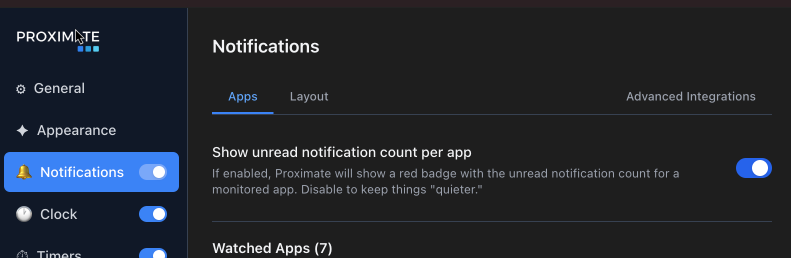
The next time a monitored app has activity, you'll only see its icon by your cursor. No red dots. No numbers. It's a single switch covering everything Proximate watches (for now, anyway), so flip it whenever your inbox, or the mood, calls for it. And if you like the count, leave it on! Proximate is meant to bend to how you work, not the other way around.